Rich Depth: The Allure of Charcoal Gradient Texture Backgrounds
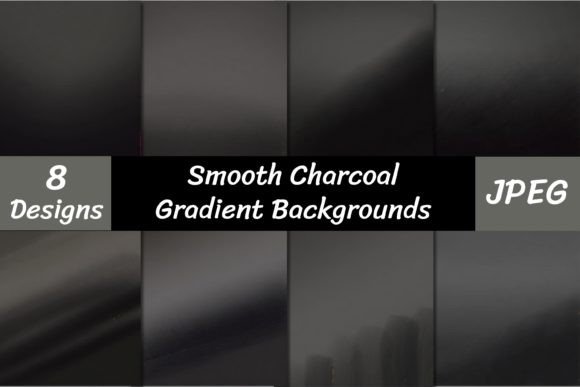
In the world of digital design, we often obsess over the foreground—logos, typography, and imagery. But a striking visual composition is only as strong as the canvas it sits upon. Enter Charcoal Gradient Texture Backgrounds. These aren't just static colors; they are dynamic, tactile environments that add instant sophistication and mood to any project. Imagine the soft, smoky transition of deep greys, mimicking the raw texture of compressed carbon. It is a design asset that bridges the gap between organic grit and modern sleekness.
The visual appeal of this collection lies in its versatility. Unlike a flat, solid grey which can feel sterile, a charcoal gradient introduces depth and movement. It creates a "moody" atmosphere that feels grounded and serious, yet artistic. For designers and creatives, this texture acts as a neutral anchor. It doesn't scream for attention, but it holds the stage with a quiet confidence, allowing your foreground elements—whether they are crisp white sans-serif fonts or vibrant photography—to truly pop. If you are looking to build a brand identity that feels established, mature, and premium, this texture is a foundational tool.
Practical Applications: Where Texture Meets Strategy
Understanding where to deploy these backgrounds is key to maximizing their impact. Because of the high resolution (3600 x 3600 pixels at 300 DPI), these files are not limited to small web banners. They are versatile design assets suitable for a wide array of mediums.
Digital & Web Presence
In web design, backgrounds play a critical role in user experience. A charcoal gradient texture is perfect for hero sections (the top area of a homepage) where you want to overlay large headlines. It reduces eye strain compared to pure black while maintaining high contrast for readability. For social media graphics, particularly on platforms like Instagram or LinkedIn, these textures provide a consistent, professional backdrop for quotes, announcements, or portfolio showcases. It helps you avoid the "generic stock photo" look and establishes a curated aesthetic.
Editorial & Publishing
For editorial design, such as magazine covers, e-book covers, or report headers, the charcoal texture adds a layer of gravitas. It suggests that the content within is serious and high-value. Publishers can use these gradients to create dramatic chapter title pages that break up the flow of text and reset the reader’s focus.
Branding & Commercial Use
Entrepreneurs and small business owners can leverage these textures in packaging design and stationery. Imagine a business card with a matte charcoal texture finish—it feels tactile and expensive before the recipient even reads the name. It works exceptionally well for brands in the luxury sector, photography, construction, or high-end consulting. The texture communicates stability and strength, essential traits for building trust in a brand identity.
The Psychology of the Palette
Color theory isn't just about picking pretty shades; it's about evoking specific responses. Charcoal sits in a unique psychological space. It is associated with formality, intelligence, and neutrality. When you apply a gradient to this color, you soften the severity of black, introducing a sense of fluidity and transition. This is particularly useful for modern typography presentations. When you place a premium font—whether it’s a bold display font, a classic serif font, or an elegant script font—against a charcoal gradient, the text gains a three-dimensional quality.
This interplay affects visual hierarchy. The texture naturally recedes, allowing your typography to advance. It prevents visual fatigue and keeps the audience engaged. For logo design, presenting a concept on a textured charcoal background can help clients visualize the logo in real-world environments rather than on a sterile white digital artboard. It helps in evaluating the "weight" and presence of the design.
Integrating Textures into Your Workflow
Acquiring these assets is just the first step; integrating them effectively requires a bit of strategy. The collection includes 8 distinct digital papers, giving you variety to work with. Here is how to get the most out of them:
- Evaluate the Intensity: Not all gradients are equal. Some may be darker on the edges and lighter in the center (vignette style), while others may flow left-to-right. Choose the gradient direction that leads the viewer's eye toward your focal point.
- Font Pairing: Because the background has texture, you want to ensure your text remains legible. Pair these backgrounds with clean, sans-serif fonts for a modern look, or high-contrast serif fonts for a traditional feel. Avoid overly complex handwritten fonts that might get lost in the "grain" of the charcoal texture.
- Opacity and Blending: Don't be afraid to lower the opacity of the texture or use blend modes (like Multiply or Screen) in your editing software to integrate the charcoal seamlessly with your brand colors.
Remember, these files are delivered as high-quality JPEGs. Because they are 300 DPI, they are ready for print immediately. However, for digital use, you may want to optimize the file size to ensure your website loads quickly without sacrificing the visual quality.
Getting Started with Your Download
We have designed this package to be accessible and ready for immediate use. When you download the Charcoal Gradient Texture Backgrounds, you are getting a curated set of 8 papers. To ensure you can access them quickly, please note that the files are compressed (zipped) to protect their integrity and speed up the download process.
You will need an unzipping utility to extract the JPEGs. Most modern operating systems have this built-in, but if you encounter any issues, a free tool like WinZip or WinRar will handle the extraction instantly. Once unzipped, simply drag the files into your project folder. They are compatible with virtually all design software, including Photoshop, Illustrator, Canva, Affinity Designer, and Procreate.
Whether you are refreshing your website, creating a new lookbook, or designing social media templates, these charcoal backgrounds offer a timeless solution. They provide the depth of a custom photoshoot with the convenience of a digital asset. Elevate your next project by moving beyond flat colors and embracing the rich, tactile world of charcoal gradients.